Trains
- Scope
- Every railway station
- Transport modes
- S-Bahn, regional and long-distance trains
Platforms, train categories and delays where they are reported. Boards that trains dominate wear the blue station board.
Switzerland coverage guide
PT Widgets turns every stop in Switzerland into a departure board on your iPhone—trains, trams, buses, boats and mountain railways alike. Departures follow the national timetable, with delays wherever they are reported, on displays drawn after the real station boards and city stop signs.
Independent app; not affiliated with the transport operators named on this page.
Operators & coverage
Switzerland is covered nationwide: every stop in the national timetable is available, from city tram stops to lake piers and mountain stations. Departures follow the timetable, real time is added wherever a delay or cancellation is reported, and notices about disruptions or construction work at the station or on its lines appear on the board.
Platforms, train categories and delays where they are reported. Boards that trains dominate wear the blue station board.
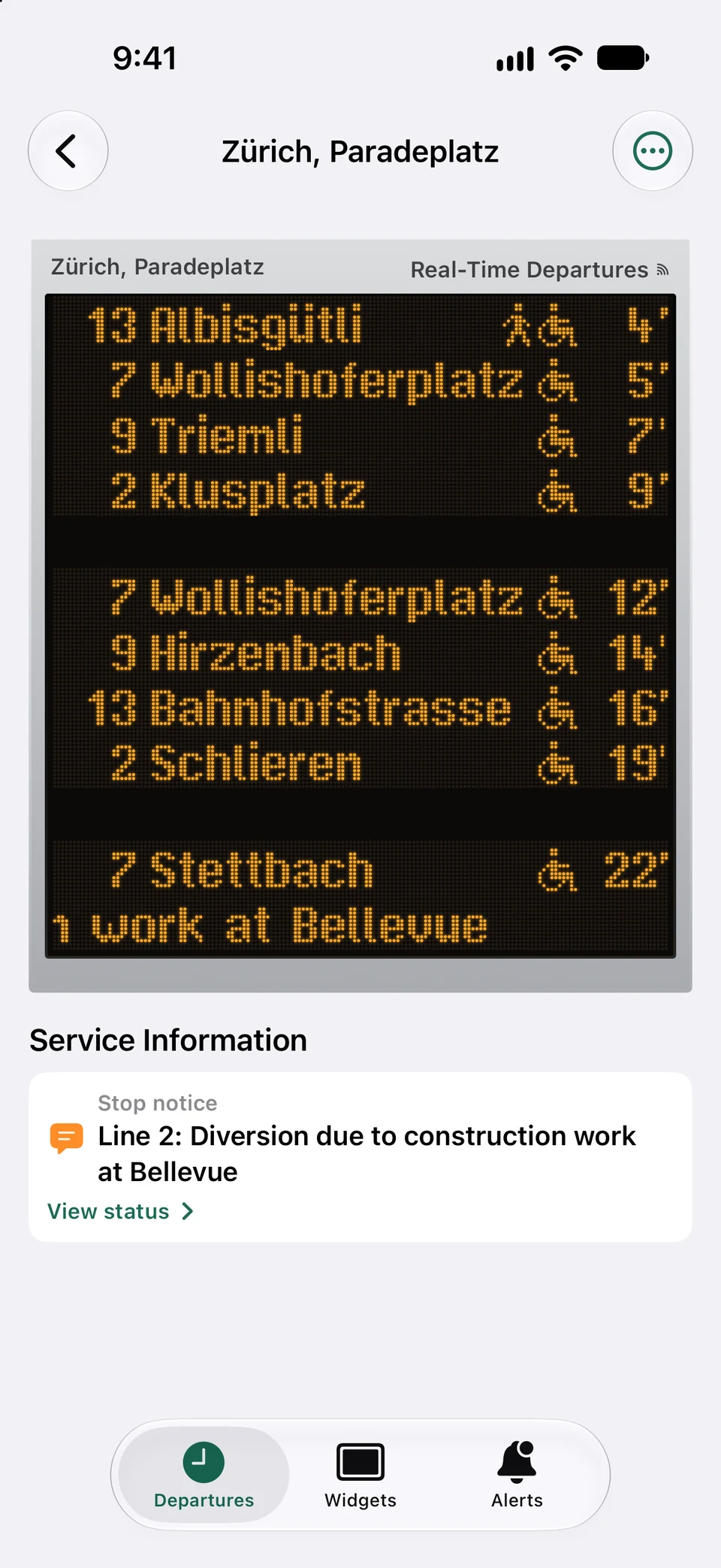
City stops in Zurich, Basel, Bern, Lucerne and St. Gallen wear their own LED sign, Geneva's a white stop screen.
Boats and mountain lifts appear like any other departure, so a widget can show the next boat or cable car.
Switzerland coverage guide
Boards that trains dominate wear a blue station board with category tiles, platforms, remarks and the trilingual heading “Abfahrt Départ Partenza”.
Stops of the Zurich, Basel, Bern, Lucerne and St. Gallen city networks wear their own LED signs, drawn dot by dot in the lettering the real signs use. Geneva's city stops get a white stop screen.
As on the real city signs, a reported time ends in a bold minute mark and a timetable time in a thin one, so you can tell a tracked departure from a planned one.
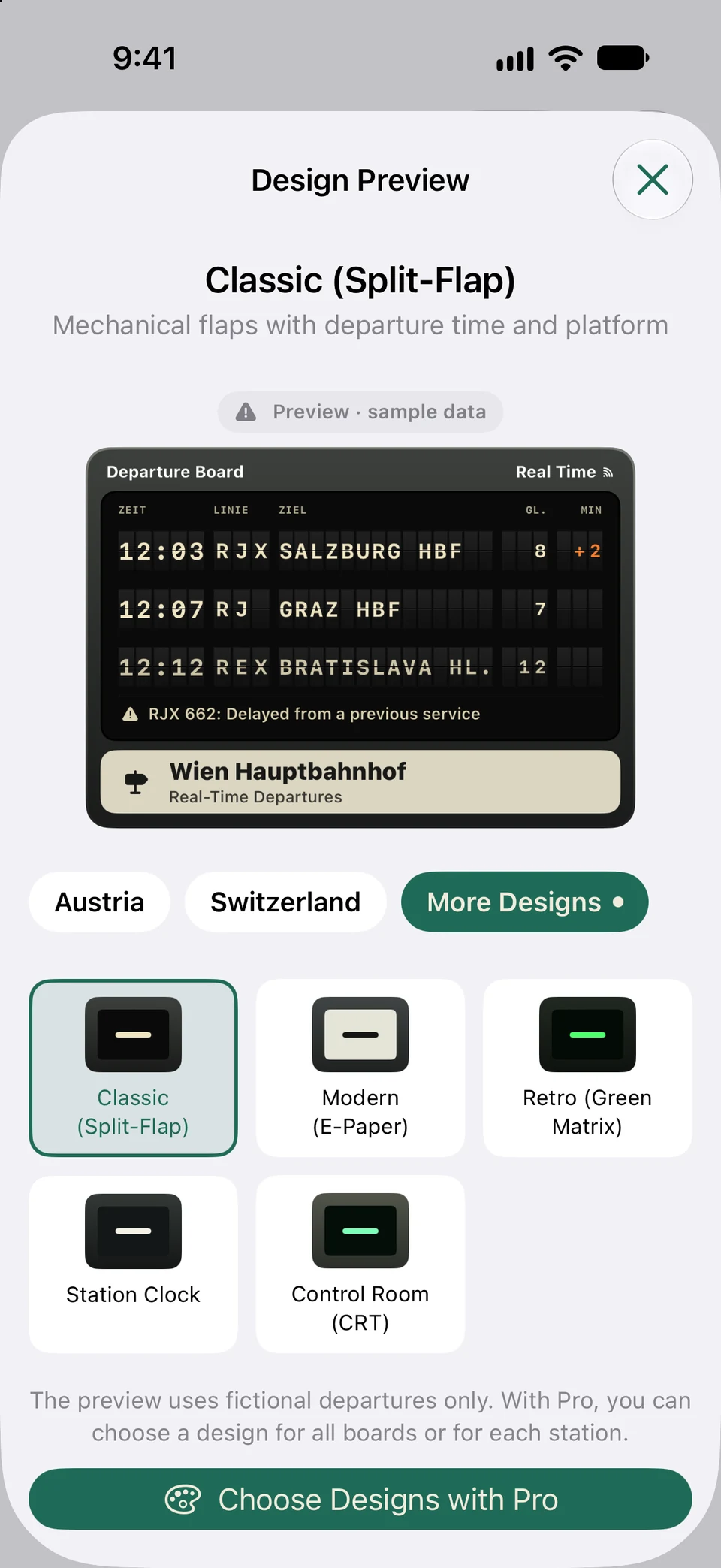
PT Widgets picks the sign that fits the departures you see: a board of mostly trains gets the station board, a Zurich tram stop the Zurich sign. With Pro you can choose any design for a station yourself.
Swiss real time arrives as delays for the trips that report one. A departure without a report keeps its timetable time, and a board on which no departure is tracked shows a “Timetable” badge instead of the real-time one.
Switzerland changes its timetable every December. A widget filtered to one direction recognises it by the destination shown, so it keeps working in the new timetable year without setting it up again.
The city signs leave the stop's own town off a destination, as the real signs do: at a Zurich stop, “Zürich, Bellevue” reads “Bellevue”. VoiceOver still reads the full name.
Switzerland coverage guide
Search with the town and the stop name—Swiss stops are named “Town, Stop”—then filter busy interchanges to your lines and directions.
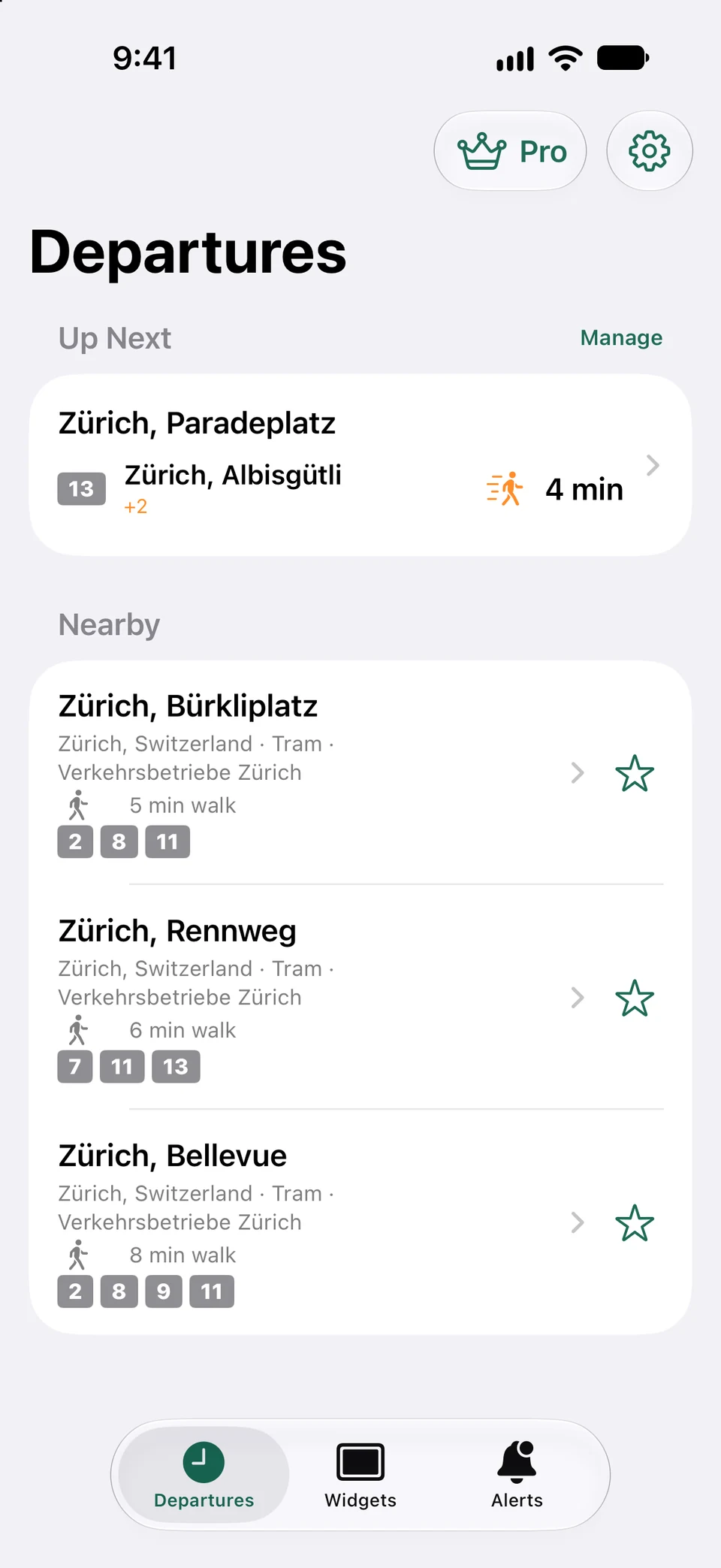
Search for a station, open its departure board, and add it to your favourites. You can also create a combined board when several nearby stops belong to the same journey.
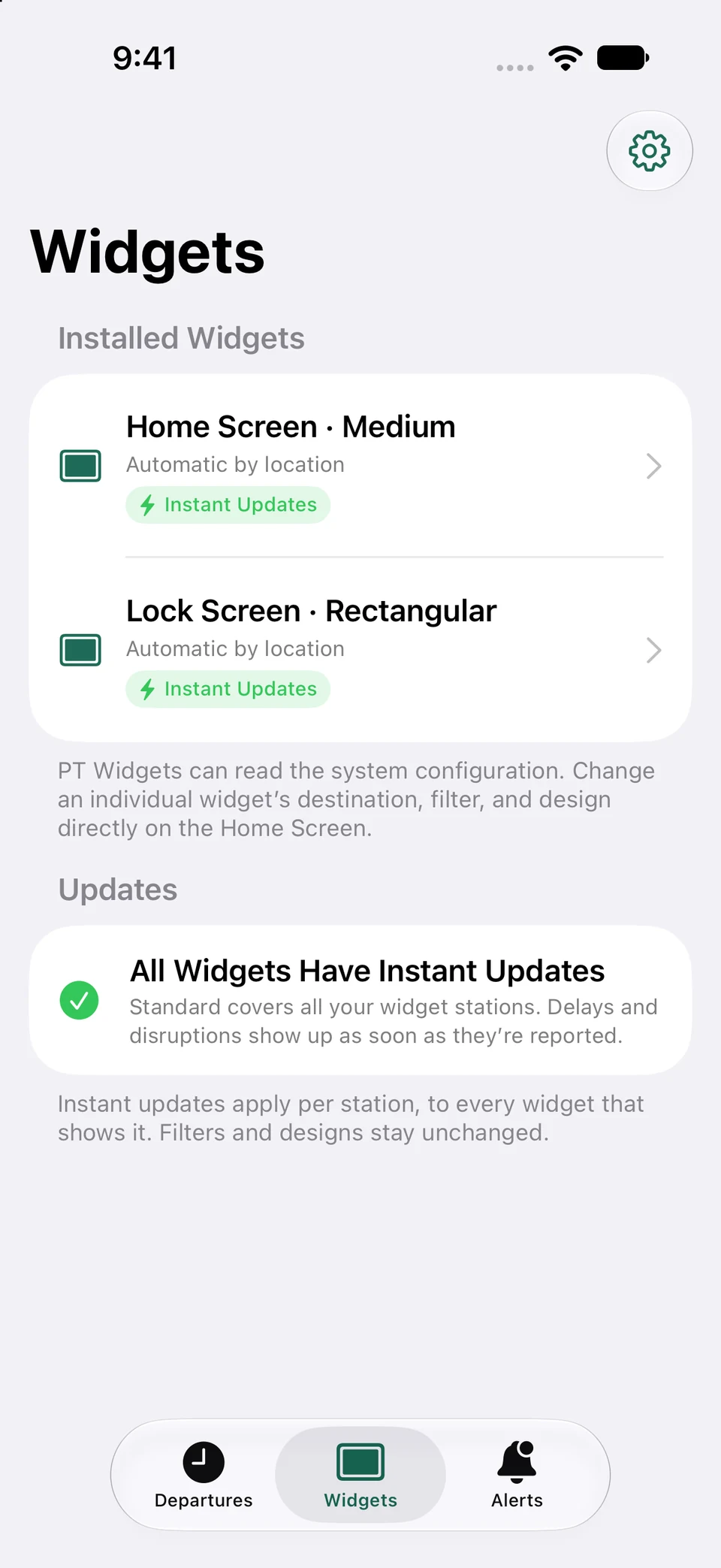
Touch and hold an empty area of the Home Screen, choose Add Widget, search for PT Widgets, pick a size, and place it where it is useful at a glance.
Touch and hold the placed widget, choose Edit Widget, then select a fixed favourite or automatic-by-location mode. Filters and display design can be changed per widget.
The countdown keeps moving between updates. Refresh when needed and check the real-time or stale-data indicator before leaving.
Real app captures
Saved boards, the station monitor and widget management work the same way for Swiss stations; the design follows the station you choose.
Captured from the current app using representative sample departures.
FAQ
Coverage is nationwide: every stop in the Swiss national timetable can be searched and saved, from city tram stops to mountain railways and lake boats. Zurich, Basel, Bern, Lucerne and St. Gallen also get their own city display designs.
Yes, wherever a delay is reported. The countdown then uses the expected time; a departure without a report keeps its timetable time and is marked as such.
Not yet. Service notices appear on Swiss boards, but line disruption alerts are currently available for Vienna and Linz only.
Now on the App Store
Download PT Widgets from the App Store and put your next departures right on your Home Screen.